The button surface type.
Supported values are the following:
Enumerated value
|
Value
|
Meaning
|
Surfaces.HardPillow
|
0 (default)
|
Hard pillow. Below you can see a sample of the button surface in Normal and Pressed state:

|
Surfaces.SoftPillow
|
1
|
Soft pillow: this kind of surface differs from the previous Hard pillow surface only when the button is in Pressed state. Below you can see a sample of the button surface in Normal and Pressed state:

|
Surfaces.Flat
|
2
|
Flat

|
Surfaces.FlatPillow
|
3
|
Flat pillow

|
Surfaces.SunkenPillow
|
4
|
Sunken pillow

|
Surfaces.Plastic
|
5
|
Plastic look

|
Surfaces.Lucid
|
6
|
Lucid look

|
Surfaces.Neon
|
7
|
Neon look

|
Surfaces.Aqua
|
8
|
Aqua look

|
Surfaces.Gel
|
9
|
Gel look

|
Surfaces.PlasticShaped
|
10
|
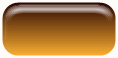
Plastic shaped look
|
Surfaces.NeonShaped
|
11
|
Neon shaped look

|
Surfaces.AquaShaped
|
12
|
Aqua shaped look

|
Surfaces.GelShaped
|
13
|
Gel shaped look

|
Surfaces.VistaAero (*)
|
14
|
Windows Vista's "Aero" look

|
Surfaces.Office2003 (*)
|
15
|
Office 2003 look

|
Surfaces.Office2007 (*)
|
16
|
Office 2007 look

|
(*) Surface not available when the Shape property is set to one of the following values:
Shapes.Parallel
Shapes.Custom
Shapes.Triangle
Shapes.Trapeze
Shapes.Arrow
Shapes.Honeycomb45
Shapes.Honeycomb135
Shapes.Diamond
Shapes.Keyhole
Shapes.FourLeafCloverVert
Shapes.FourLeafCloverDiag
Shapes.Alfalfa
In order to change this setting at Design-time take a look to the How to change the control appearance section.
|


